


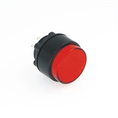

To determine whether an ONPOW pushbutton switch is normally open or normally closed, you can use the following methods:
1. Check the product label or manual: Many switch products will have "NO" (Normally Open) or "NC" (Normally Closed) marked on the surface or casing to indicate the contact type. Simply check the corresponding label to determine the contact type. Alternatively, consult the corresponding product manual or instruction manual for information on contact configuration.
2. Determine by terminal color: Some pushbutton switches can distinguish between normally open and normally closed contacts by the color of the terminal. Typically, blue or green indicates normally open contacts, while red or pink indicates normally closed contacts.
3. Determine by terminal position: Generally, the upper terminal is the normally closed contact, and the lower terminal is the normally open contact. However, this method may result in errors and should only be used as a preliminary guide.
4. Use a multimeter to measure: Set the multimeter to the on/off position and touch the two test leads to each of the two contacts on the button. If a beep sounds, the contact is normally closed; if no beep sounds, it is normally open.
How to determine whether a pushbutton switch is normally open (NO) or normally closed (NC)
Aug 29, 2025 Leave a message
Send Inquiry