

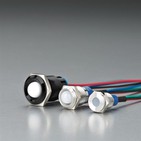


When a push switch button suddenly stops working, it can interrupt your entire system-whether it's industrial equipment, a control panel, or a simple device. The good news? Most issues are easy to identify and fix once you know where to look.
This guide walks you through the most common causes and practical solutions, so you can quickly get things back on track.
Quick Checks First (Solve It in 60 Seconds)
Before diving deeper, run through these basics:
Is the power supply active?
Are the wires firmly connected?
Is the button physically stuck or loose?
Has the button been exposed to water, dust, or oil?
In many cases, a faulty push switch button is simply a loose connection or external contamination.
1. Loose or Incorrect Wiring
This is the #1 reason a push button not working issue occurs.
What happens:
No response when pressed
Intermittent operation
Device only works when wires are moved
What to check:
Verify COM, NO, and NC terminals are correctly wired
Ensure screws or connectors are tight
Look for broken or frayed wires
Fix:
Reconnect or replace damaged wires. If unsure, follow your wiring diagram carefully.
2. Power Supply Problems
Sometimes the issue isn't the button at all.
Signs:
No LED illumination (if applicable)
Entire circuit unresponsive
What to check:
Voltage level (is it within rated range?)
Power source stability
Fix:
Restore proper power supply or replace the source if needed.
3. Internal Contact Failure
Over time, the internal contacts inside a push switch button can wear out.
Causes:
High switching frequency
Electrical arcing
Low-quality materials
Symptoms:
Button clicks, but no electrical response
Delayed or inconsistent triggering
Fix:
Replace the switch. High-cycle applications require switches rated for long mechanical life.
4. Environmental Damage (Water, Dust, Oil)
If your button is used in harsh environments, contamination is a major risk.
Signs:
Sticky or hard-to-press button
Corrosion on terminals
Reduced sensitivity
Fix:
Clean the button (if possible)
Upgrade to a higher protection rating (e.g., IP67/IP68)
For outdoor or industrial use, choosing a sealed push switch button is essential.
5. Mechanical Failure
Physical damage can stop the button from functioning properly.
Common issues:
Broken actuator
Weak or damaged spring
Button stuck in pressed position
Fix:
Mechanical failures usually require replacement-repairs are rarely cost-effective.
6. Incorrect Switch Type
Not all push switch buttons work the same way.
Example:
Momentary switch vs. latching switch
Normally Open (NO) vs. Normally Closed (NC)
Problem:
Using the wrong type can make it seem like the button isn't working.
Fix:
Double-check your application requirements and switch specifications.
7. LED or Auxiliary Function Failure
If your button includes illumination:
Possible issue:
LED works, but switching doesn't (or vice versa)
Cause:
Separate circuits for LED and contacts
Fix:
Check both circuits independently.
How to Prevent Push Button Failures
To avoid future push button not working problems:
Choose switches with high durability ratings
Match voltage and current specifications correctly
Use proper sealing for harsh environments
Avoid overloading the switch
Perform regular inspections
A Note on Choosing the Right Push Switch Button
Not all switches are built the same. For demanding applications, reliability matters.
Brands like ONPOW design push switch button solutions with:
Long mechanical life (up to millions of cycles)
High protection levels (IP67/IP68 options)
Customizable configurations (LED, voltage, engraving)
This kind of quality can significantly reduce failure rates and maintenance costs over time-especially in industrial or outdoor settings.

Final Thoughts
If your push button not working, the issue is usually one of these:
Wiring
Power supply
Internal wear
Environmental damage
Start with the simple checks, then move step by step. In most cases, you'll find the root cause quickly-and fix it just as fast.