


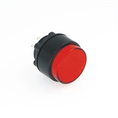

If the ONPOW plastic button is broken, corresponding handling methods can be taken according to different causes of the fault. The following are the handling steps:
1. Power off and check for faults
Ensure safety: Before operation, disconnect the power supply to avoid electric shock or other electrical faults.
Check button function: Check if the button is malfunctioning or stuck, sometimes the problem may just be due to poor external contact or loose wiring.
2. Cleaning button
Dirt or dust: If the button does not work, it may be due to dust or dirt blocking the contact points inside the button. Gently blow off the dust on the button with compressed air, or wipe the surface with a soft cloth.
Overflow liquid: If the button is contaminated with liquid, immediately wipe it clean and ensure it is completely dry to prevent liquid from seeping into the circuit.
3. Check for internal damage
Stuck or spring failure: If the button gets stuck or the spring does not return to its normal position, it may be due to internal spring damage. You can try gently pressing the button to see if it can restore elasticity. If the problem persists, it may be necessary to disassemble the button for inspection.
Button jamming: Sometimes plastic buttons may get stuck due to mechanical damage to the button structure. You can try gently pushing the button back to its normal position.
4. Replace damaged components
Replace button switch: If the button switch is damaged, you can purchase a button switch of the same model for replacement. Some buttons of ONPOW are designed as replaceable switch parts, which can replace damaged components without the need to replace the entire button.
Replacing button housing: If the plastic housing is broken or damaged, it is usually possible to replace the housing part separately, especially for brands such as ONPOW that provide modular design for easy maintenance.
5. Replace the entire button
If the structure, switch, and casing of the button are damaged or cannot be repaired, it may be considered to replace the entire button. Suggest contacting ONPOW authorized agents or suppliers to obtain compatible replacement buttons.
Ensure that when replacing the button, choose a product with the same specifications and model as the original button to avoid incompatibility with the device.
6. Contact after-sales service
If the button is still within the warranty period, you can contact ONPOW's after-sales service to apply for repair or replacement.
During the warranty period, free repairs or replacements can usually be obtained through after-sales service.
7. Professional maintenance
If you are unsure how to handle it or if the malfunction is complex, you can seek professional repair services. Especially in industrial or high demand applications, ensure that the buttons receive professional maintenance and inspection to ensure the normal operation of the equipment.
8. Preventive measures
Avoid excessive wear: Regularly check the buttons to avoid overuse and wear. For frequently operated buttons, consider installing protective devices or regularly replacing buttons.
Dustproof and Waterproof: For places with harsh usage environments (such as high dust and humidity), button housings with dustproof and waterproof functions can be selected to reduce the risk of button failure.
9. Recording and feedback
If the damage to the button is due to quality issues or design defects, it is recommended to provide feedback to ONPOW and provide product failure information for improvement or support.
What should I do if the ONPOW plastic button is broken
Jan 24, 2026 Leave a message
Send Inquiry