


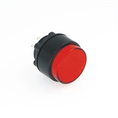

To troubleshoot a push button, such as an Onpow button, you can follow these steps:
1. Visual Inspection:
Check for physical damage: Look for any visible cracks, dirt, or corrosion. Physical damage can affect button performance.
Button Movement: Press the button several times to check if it feels stuck or doesn't spring back properly.
2. Electrical Testing:
Use a Multimeter: Set the multimeter to continuity mode. Press the button and check if the circuit completes when the button is pressed. If there's no continuity, the internal contacts may be damaged.
Check Voltage: Measure the voltage across the button terminals to ensure the proper voltage is being supplied and if the button is part of a larger circuit.
3. Check for Wiring Issues:
Loose Connections: Ensure the wires connected to the button are not loose or disconnected. Tighten the screws or reattach any loose wiring.
Broken Wires: Inspect the wires leading to the button for any cuts, frays, or signs of wear. If damaged, replace the wiring.
4. Test with Another Button:
If possible, replace the malfunctioning button with a new or known working button to rule out any issues with the button itself.
5. Button's Environment:
Moisture or Dirt: If the button is exposed to moisture or dust, it could interfere with its function. Clean the button and ensure it's in a dry, clean environment.
Overload or High Current: If the button is part of a high-power circuit, ensure it's not overloaded. A fuse or other protective component may have blown.
6. Manufacturer's Instructions:
Consult Onpow Technical Support: If you still can't identify the issue, check the user manual or contact Onpow customer service for troubleshooting steps or to see if there's a known fault with the model.
Onpow is known for its durable push buttons, often used in harsh industrial environments. If you're dealing with industrial or high-usage buttons, ensuring proper maintenance and testing is critical for long-term functionality.
Let me know if you need specific instructions for certain types of Onpow buttons!
