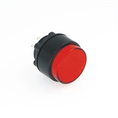

If your Onpow push button switch isn't working, it could be due to a few common issues. Let's break it down:
1. Mechanical Failure
Button Sticking: The button may be physically stuck due to debris or wear and tear. Over time, the mechanism inside the button can become sluggish or broken.
Internal Springs or Contacts: The internal spring or contact may be damaged, which prevents the button from properly activating the switch. This can happen due to frequent use or pressure beyond the design limits.
2. Electrical Issues
Loose or Disconnected Wires: If the electrical connections to the button are loose, disconnected, or poorly soldered, the button will not complete the circuit when pressed.
Faulty Internal Contacts: Even if the button appears to work mechanically, the internal contacts might be dirty or damaged. This can prevent electrical continuity when the button is pressed.
Short Circuit or Open Circuit: Check the wiring to make sure there is no short circuit or break in the circuit that might be preventing the button from working.
3. Environmental Factors
Dirt and Dust: If the button is exposed to harsh environments, dirt, dust, or moisture can clog the mechanism or contacts, causing malfunction.
Water Damage: Water or other liquids may have entered the button, especially if it's an unsealed model. Onpow offers both sealed and non-sealed variants, so if you have a non-sealed type, consider the possibility of liquid ingress.
Corrosion: Over time, corrosion can form on the metal contacts, especially in environments with high humidity or exposure to chemicals. This will interfere with electrical contact and cause failure.
4. Overload or Overcurrent
Exceeding Ratings: If the button switch is part of a high-power circuit, it may have been subjected to voltage or current beyond its rated capacity. This can cause internal failure of the contacts or other components.
Fuses or Protective Components: In some cases, a fuse or overcurrent protection device in the circuit may have blown due to an overload, which might make it seem like the button is faulty when it's actually the protection system at work.
5. Wrong Installation
Incorrect Wiring: Ensure the button has been correctly installed according to the wiring diagram. If the connections are wrong, the button won't work as intended.
Misalignment: If the button isn't properly aligned with its housing or the surrounding panel, it may not activate correctly.
6. Button Type Mismatch
Momentary vs. Latching: Double-check whether your button is a momentary switch (returns to its original position after being pressed) or a latching switch (locks in place when pressed). Sometimes, people expect a button to function differently than it's designed to.
7. Age and Wear
Mechanical Fatigue: Over time, frequent use can cause wear on the internal mechanism, leading to failure.
End of Service Life: If the button has been used extensively in high-traffic or industrial settings, it could have reached the end of its service life.
Troubleshooting Steps:
Perform a Visual Inspection: Check for any visible damage to the button or connections.
Test with a Multimeter: Measure the continuity across the switch terminals. If there's no continuity when pressed, the button might be faulty.
Test Wiring: Ensure that all wires are correctly connected and not damaged.
Check for Moisture or Dirt: Clean the button and ensure it's not exposed to dirt or moisture.
Try a Different Button: Swap the button with a known working one to see if the issue lies with the button itself.
Check the Circuit: Ensure that the circuit isn't overloaded and that all protective components are intact.